
What it is
Physical installation of IT infrastructure: server racks, cabling, video, access control. Turnkey — design, approvals, installation, handover with proper paperwork.
What we install
- Server racks: mounting, power distribution, cable management, cooling, fire suppression.
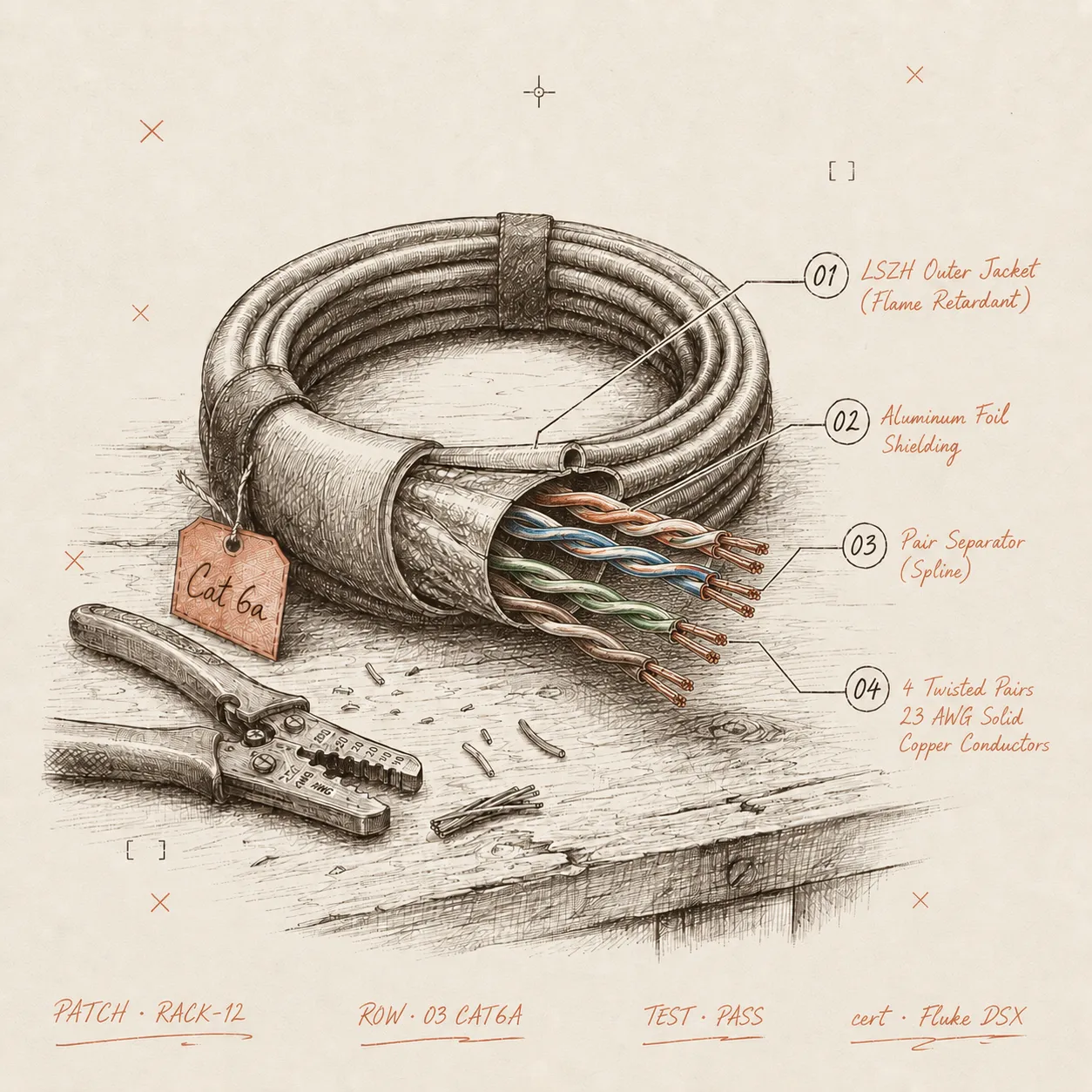
- Structured cabling (SCS): UTP/FTP up to Cat 6A/Cat 7, fibre, telephony. Run via trays or raised floor.
- Video surveillance: cable runs, IP camera mounting, NVR install, remote-access configuration.
- Access control: controllers, readers, electromechanical locks, intercoms, credential programming.
- Server-room power: dedicated power feed, UPS, grounding, environmental monitoring.
- Wi-Fi infrastructure: RF site survey, AP placement, controller configuration.
What the project includes
- Site survey: measurements, floor plans, inspection of existing cable runs.
- Design: drawings, equipment specs, cable schedule, budget.
- Approvals: with the client, and where required with building management / landlord.
- Installation: cable runs, equipment mounting, labelling, testing.
- Handover: completion certificates, cable schedule, as-built documentation, operating instructions.
When you need this
- Opening an office from scratch — full infrastructure: network, video, access, server room.
- Relocating — equipment move plus fresh deployment.
- The current cable mess overhead is concerning — you want proper SCS with documented routing.
- Expanding — new desks and meeting rooms need to be connected.
Approach
We build it so it’s easy to maintain later. Every cable is labelled, the cable schedule is current, mixed-purpose cabling doesn’t share a tray. Two years later, when a segment needs replacing, your admin finds it in five minutes — without “calling the guys who installed it.”